Introduction to Adobe Photoshop
Coming again spring 2027
Introduction to Adobe Photoshop
Coming again spring 2027
Level of Difficulty
2 out of 5
We are offering Introduction to Adobe Photoshop ON LINE via ZOOM MEETINGS.
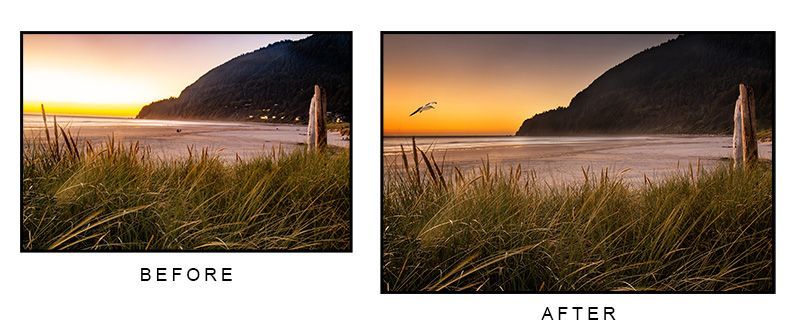
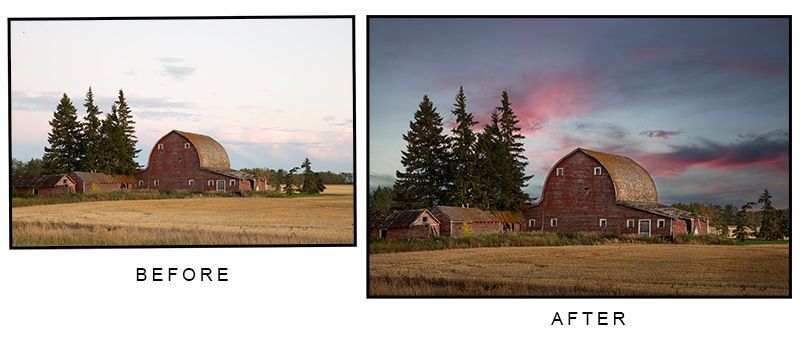
Join professional photographer and instructor, Chris Stambaugh for Introduction to Adobe Photoshop. This 6-part online class will immerse you into Adobe's Photoshop software and give you the knowledge and background to do things that almost no other photo editing software can do. Photoshop is a massive program that is much more than a photo editing software, it contains capabilities for illustrations, graphic design, video editing and more. The focus of this course is photo editing, and you will spend the entire course interactively learning the most common tools for editing photographs. The instructor will demonstrate the refinements and adjustments employed to take full advantage of this powerful editing tool and walk you through their various usage. We provide you with a set of sample images curated to best demonstrate the use of each tool we discuss, ensuring that all students get the maximum advantage from the instructions.
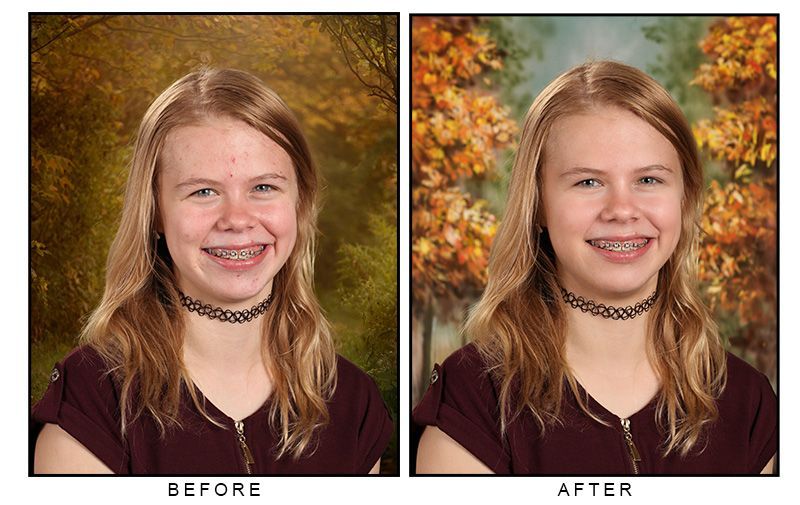
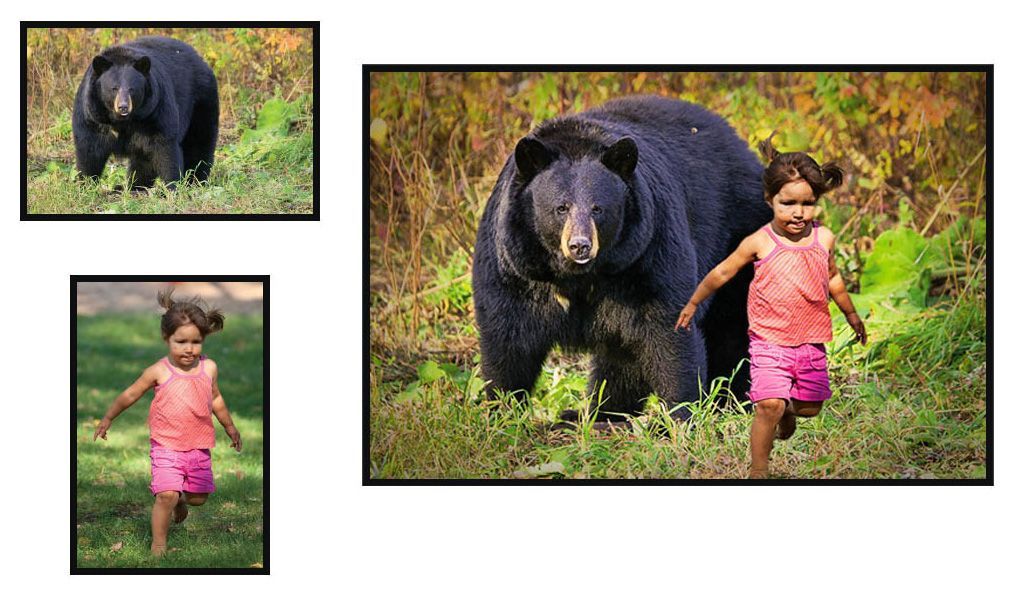
In addition to editing photos, we will also guide you the process of customizing your software and creating a virtual workspace for photography. You will learn how to optimize your images to make them look their best, use layers to composite multiple images together, swap heads, retouch and enhance photographs in ways that other editing software cannot. Additionally, we will discuss best-practice's for ensuring that your image collection sticks around and survives a hard drive crash or other calamity.
This class is targeted towards photographers with little to no experience with Photoshop and is part of the curriculum for our Photography Certificate courses.
Instructor Chris Stambaugh will help you every step of the way to learn the most important aspects of this amazing and powerful piece of software. A hands-on class is absolutely the BEST way to get started in photo editing.
Introduction to Adobe Photoshop
Coming again spring 2027
COST $175
Canadian Dollar (plus tax).
What you will learn
- Basic editing and adjusting images in Photoshop
- Advanced editing RAW and Jpeg images in the Camera RAW filter
- Essential Photoshop tools & techniques such as; crop/rotate, brightness, hue/saturation, levels, color balance, clone/stamp, healing brush, patch tool, paint brush, paint bucket, history, liquify, transform, marquee tool, lasso, magic wand, quick selection, color picker, red eye tool, and more
- Customizing your toolbox and workspace
- Using adjustment layers
- Layer masking
- Working with "history"
- Adding text and text effects
- Basic graphic design
- Increasing or decreasing image resolution
- Re-touching Portraits
- Compositing multiple images
- Special effects
What to expect
10 - 12 hours of classroom instruction via ZOOM meetings
Hands on practice with the instructor
Digital PDF Photographic Composition handouts
Certificate of Completion
Equipment Required
- A computer, tablet or cell phone with a microphone and camera capable of joining a zoom meeting.
- A computer with the most current version of Adobe Photoshop installed and updated. Older versions of Adobe Photoshop will not have many of the features in the current version.
- An optical mouse is highly recommended.
Prerequisites for our
class
A basic working knowledge of your computer. Participants should be able to navigate to and locate file folders in thier computer and use basic keyboard shortcuts such as copy (ctrl C), paste (ctrl V), undo (ctrl Z) and others .

Your Instructor for
Introduction to Adobe Photoshop
Coming again spring 2027
Introduction to Adobe Photoshop
Coming again spring 2027
Your instructor will be Chris Stambaugh. Chris is the former president of the Professional Photographer's of Canada and has been working as a professional photographer for over three decades.
Chris holds the designations of "Master of Photographic Arts" and "Honorary Lifetime Member" from the Professional Photographers of Canada and has won numerous awards for his work including being a finalist in the Alberta and Canadian Portrait Photographer of the Year.
Chris runs his own photography business called Imagine That Photographics where he specializes in portrait photography, commercial/corporate photography and school/graduation photography. He is currently the lead instructor at The Burwell School and teaches at the U of A Faculty of Extension. He has formerly been a photography instructor with NAIT Continuing Education and Edmonton Public Schools METRO.
Chris teaches many classes at our photography school including the Digital Camera Fundamentals class, Digital Photography for Beginners, Photographic Composition, Posing Families and Children class, Macro Photography, High Volume Photography, Photoshop, and The Business of Photography.
Gallery
"I've used Adobe Lightroom for many years and am very comfortable with it but I had never even opened Photoshop. After taking this course I am comfortable going from Lightroom to Photoshop for more advanced editing such as object or person removal. I hope to continue practicing what I've learned and possibly even take a more advanced class someday. Some of the most useful features of photoshop are the areas that Lightroom is the worst at such as healing and object removal."
Annon.
"Introduction to Photoshop was a really good fit. Even though I have experience in Photoshop I was able to refresh my memory and relearn a few things I had forgotten about and or didn't fully grasp the first time.
Thank you Burwell School of Photography for this amazing course."
Jason Wilson